Digital Smile Design: What the Technology Actually Does
How digital smile design turns photos, video and a 3D scan into a planned smile you can try in your own mouth, what it genuinely shows, and what it can never promise.
If a cosmetic dentist has offered you "digital smile design", or you have seen a before and after where the new teeth appeared on a screen first, you probably want to know two things. What is the software actually doing, and how much should you trust what it shows you?
The short answer is that digital smile design is a planning and communication tool. It uses photos, video and a 3D scan of your mouth to plan tooth shapes and proportions around your face, then lets you try a version of that plan in your own mouth before anything permanent happens. It is genuinely useful. It is also not a promise, and the gap between those two things is worth understanding before you pay for treatment.
This article covers the technology and the workflow. For the design principles themselves, such as proportion, symmetry and shade, see our guide to how smile makeovers are designed.
What Digital Smile Design Actually Is
Digital smile design, often shortened to DSD, is a way of planning cosmetic dental work that starts from your face rather than your teeth. The dentist collects records of how you look and move, feeds them into design software, and builds a proposed smile that fits your features. That design becomes the blueprint for everything that follows, from aligners to veneers.
The term is used in two ways. Sometimes it means one particular branded method and training program. More often it is used loosely for any digital planning workflow, and several software packages do similar jobs. What matters is what the practice does with it.
It is also different from the quick "see your new smile" images some websites and apps produce from a single selfie. Those are marketing pictures. A real design is built from measured records of your mouth and can be turned into physical guides for treatment.
How It Works, Step by Step
Step 1: Photos
A standard set of photographs comes first: your full face at rest and smiling, your profile, and close-ups of your teeth, often taken with cheek retractors, plastic holders that pull your lips back so every tooth is visible. The full-face shots show how your teeth relate to your eyes, nose, lips and the center line of your face.
Step 2: Video
A short video of you talking and laughing is often the most revealing record, because people rarely hold a posed smile in real life. It shows how much of your teeth and gums appear when you speak.
Step 3: A 3D scan
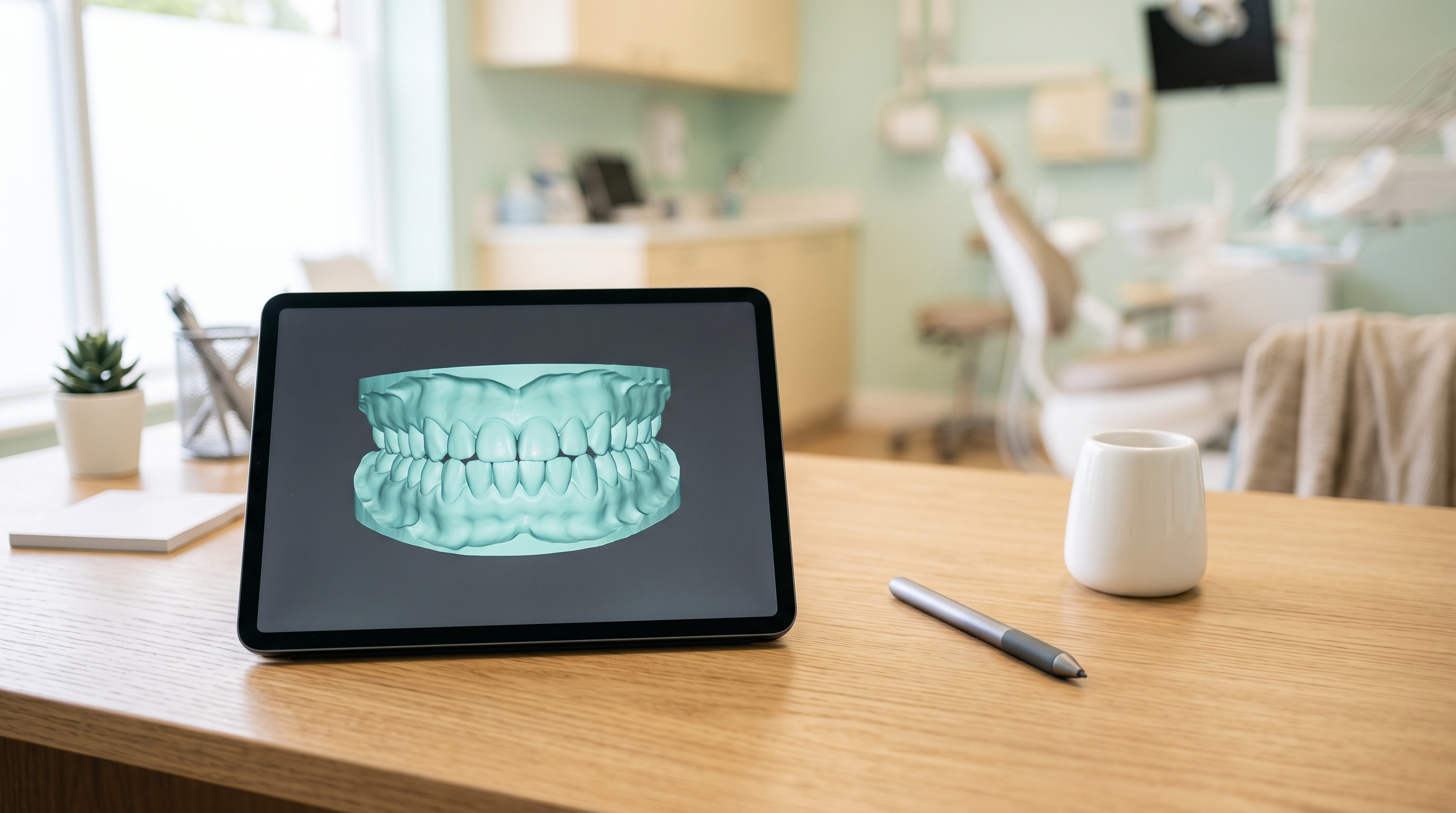
An intraoral scanner, a handheld wand that captures a rapid series of images and stitches them into a 3D model of your teeth and gums, replaces the old tray of putty in many offices. It uses light rather than x-rays, and gives the software accurate tooth shapes and bite relationships to work with.
X-rays are taken separately when needed, to check roots, bone and decay. If implants are part of the plan, the dentist may also use cone beam CT (CBCT), a 3D x-ray that shows the shape and volume of the bone.
Step 4: Designing in software
The software lines the photos, video frames and scan up with each other. The dentist marks reference lines such as the facial midline, the lip line and the smile arc, the curve formed by the edges of your upper teeth, which usually looks best when it follows the curve of your lower lip. Tooth outlines are then adjusted for width, length and shape until they sit well in your face.
A dental laboratory or in-house technician turns that plan into a digital wax-up, a virtual 3D model of your teeth as they would look after treatment, which can be printed or milled into a physical model.
Step 5: The trial smile
This is the step that matters most to most people. From the wax-up, the dentist makes a silicone or clear plastic template, fills it with a tooth-colored temporary material, and seats it over your teeth for a few minutes. When it sets and the template comes out, you have a thin temporary version of the new smile sitting on your real teeth. This is often called a mock-up.
In most cases no drilling or numbing is needed. You can look in a mirror, talk, smile and take photos, and some practices let you wear it home for a few hours to show people you trust. It is then removed without harming the teeth underneath.
Step 6: The design becomes the blueprint
Once you and the dentist agree on the design, it guides the real work: showing how much tooth, if any, needs reshaping for veneers, planning aligner movements, marking where gum contouring should go, and briefing the lab that makes your final restorations.
What Each Tool Can and Cannot Tell You
| Tool | What it does | What it cannot tell you |
|---|---|---|
| Facial and close-up photos | Shows how your teeth relate to your face, lips and midline | How your smile looks when you move and speak |
| Video | Captures your natural smile and how much tooth and gum show when talking | Anything about tooth health or your bite |
| Intraoral scan | Builds an accurate 3D model of teeth, gums and bite | Decay, root problems or bone levels |
| X-rays or CBCT | Shows roots, bone, decay and old treatment | Anything about appearance |
| Design software | Plans proportions, shape and length around your face | How your gums will heal, or whether your bite can support the change |
| Digital wax-up and printed model | Turns the plan into a physical 3D shape | Final shade, translucency and surface texture |
| Trial smile in your mouth | Lets you see, feel and speak with the proposed shape | Changes that remove tooth, or exactly how the finished material will look |
What It Can Genuinely Show You
Used well, digital smile design helps with decisions that are hard to make in the abstract.
- Length and proportion. Whether slightly longer front teeth suit you, or whether a change is too much.
- Shape and character. Rounder or squarer edges, a softer or more defined look.
- Midline and symmetry. Whether the center of your smile lines up with your face.
- How much shows when you talk. Something a posed photo misses entirely.
- Whether other steps should come first. The design can make it obvious that teeth should be moved with aligners, or the gum line evened out, before veneers or bonding. If straightening is part of the conversation, our aligners vs braces tool compares the main options side by side.
- How conservative the work can be. Planning the final shape in 3D first can show where less tooth needs removing, or where bonding could do the job instead of porcelain.
It also makes communication far easier. Instead of describing "a bit less square but not too round," you can point at the thing in your mouth and say what you like and what you do not.
What It Cannot Promise
This is the part that is easy to skip past in an exciting consultation.
How your gums respond. After gum contouring or crown lengthening, a procedure that removes gum and sometimes a little bone to expose more tooth, the gums heal on their own terms and can creep partway back toward where they started. Software can draw a perfect gum line, but biology decides where it ends up, which is why dentists usually wait for healing before the final work.
The exact final shade. Screens display color differently, photos depend on lighting, and the trial smile is a single shade of temporary material. Real porcelain or composite has layers, translucency and surface texture that a mock-up cannot copy. Shade is chosen in person, in good light, and often confirmed at a try-in. If you want whiter teeth overall, whitening normally comes first, because porcelain and bonding do not whiten afterward.
Changes that take tooth away. A trial smile can only add material. If the plan makes a tooth shorter, narrower or sit farther back, the mock-up cannot show that directly, and it may look slightly bulkier than the finished result.
Your bite. A design that looks great from the front still has to work when you chew. Front teeth lengthened too far can be overloaded and chip, so a careful dentist checks the bite against the design rather than treating the picture as final.
A guarantee. The design is a target. How close the result gets depends on the dentist's hands, the lab's skill, your tooth structure, your gums and how you look after the work. A practice that presents a polished image as a promise is overselling.
Who Benefits Most
Digital smile design earns its keep on larger or more visible cases: veneers or crowns across several front teeth, bonding on multiple teeth, aligners followed by cosmetic work, gum contouring, or an implant at the front of the smile. For a single filling, one back crown, or whitening alone, a full design workflow usually adds cost without adding much.
How Much Does Digital Smile Design Cost?
Some practices fold the design and trial smile into the fee for veneers or other treatment. Some charge a separate planning fee and credit it back if you go ahead. Others charge for it as a standalone service.
As a cautious guide, standalone planning with photos, scans and a trial smile commonly runs from roughly $200 to $1,500, more for large cases where a lab builds a full wax-up. What moves it: how many teeth are included, who does the design, whether a physical trial smile is made, and where you live. Dental insurance rarely covers cosmetic planning.
Most of the money goes on the treatment it plans. Porcelain veneers typically run $900 to $2,500 per tooth, direct composite veneers $250 to $1,500 per tooth, in-office whitening $400 to $1,000, and comprehensive Invisalign $4,000 to $8,000. These are ranges, not quotes, and location, materials and the complexity of your case all move them. Our dental cost calculator can help you build a rough budget.
Questions Worth Asking Before You Pay
- Is a trial smile in my mouth included, or only an image on a screen?
- Who does the design: you, an in-house technician or an outside lab?
- Is the planning fee credited toward treatment if I go ahead?
- Can I have copies of my photos, scans and design if I go elsewhere?
- How much tooth, if any, will need to be removed to match this design?
Be wary of a design shown only as an edited photo, pressure to commit the same day, or a plan that puts veneers on healthy, well aligned teeth when whitening or bonding would meet your goal.
Frequently Asked Questions
Is digital smile design worth paying for?
For veneers, several crowns, or a combined straightening and cosmetic plan, it usually is, because you can see and adjust the plan before permanent work begins. For whitening or a single back tooth, it rarely adds much. If the fee is credited toward treatment, the question mostly answers itself.
Does the trial smile hurt or damage my teeth?
Usually not. The temporary material is normally placed over your teeth without drilling or numbing, and it comes off afterward without harming them. You may feel some pressure while the template is seated, and your lips may feel full for a while.
Will my final teeth look exactly like the design?
Close, if the work is done well, but not identical. The final material, shade and surface texture differ from the temporary mock-up, and gums heal in their own way. Think of the design as a detailed target, not a photograph of the future.
Can I change things after seeing the trial smile?
Yes, that is the point of it. Length, shape and edges can be adjusted in the software and tried again. Changing a design is far cheaper and easier than replacing finished veneers.
Is it the same as a smile simulation app?
No. Apps and quick online simulations edit a single photo to show an idea. Digital smile design uses measured records of your teeth, face and bite, and produces a plan that can be carried into your mouth and used to guide treatment.
What to Do Next
If you are considering veneers or a larger cosmetic change, ask each practice you are weighing up whether their plan includes a trial smile in your mouth, not just an image, and whether the fee is credited toward treatment. Bring photos of smiles you like as a starting point, along with a short list of what bothers you about your own.
When you see the trial smile, take your time. Look at it in daylight, talk, laugh, take a video, and ask to change anything that feels off. The best moment to be picky is before anything permanent happens.
This article is for general information only and is not a substitute for professional dental advice. Always consult your dentist about your individual needs.